How to add an address on Amazon
Use the US mailing address and assigned mailbox number shown in your dashboard. Follow this guide to add them to Amazon before ordering purchases for forwarding to Jamaica.
Account & Lists
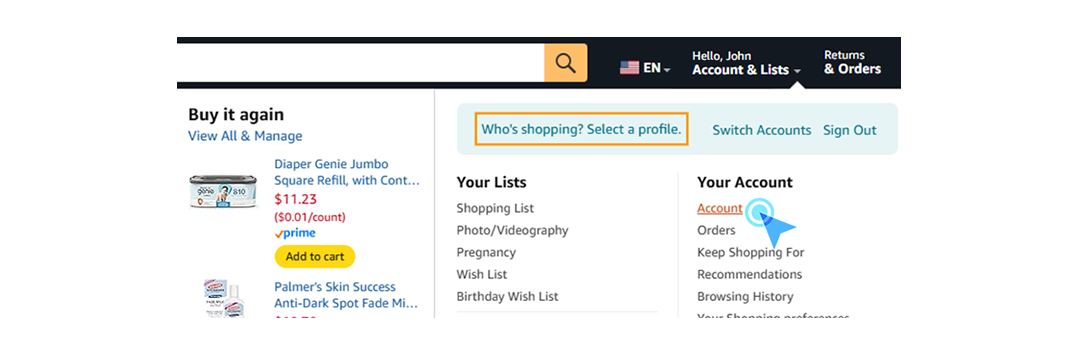
Start by logging into your Amazon account. Hover over the "Account & Lists" section located at the top right corner of the page to reveal the dropdown menu.

Your Account Settings
From the dropdown menu options, locate and click on the "Account" link to access your main account dashboard.
Navigate to Addresses
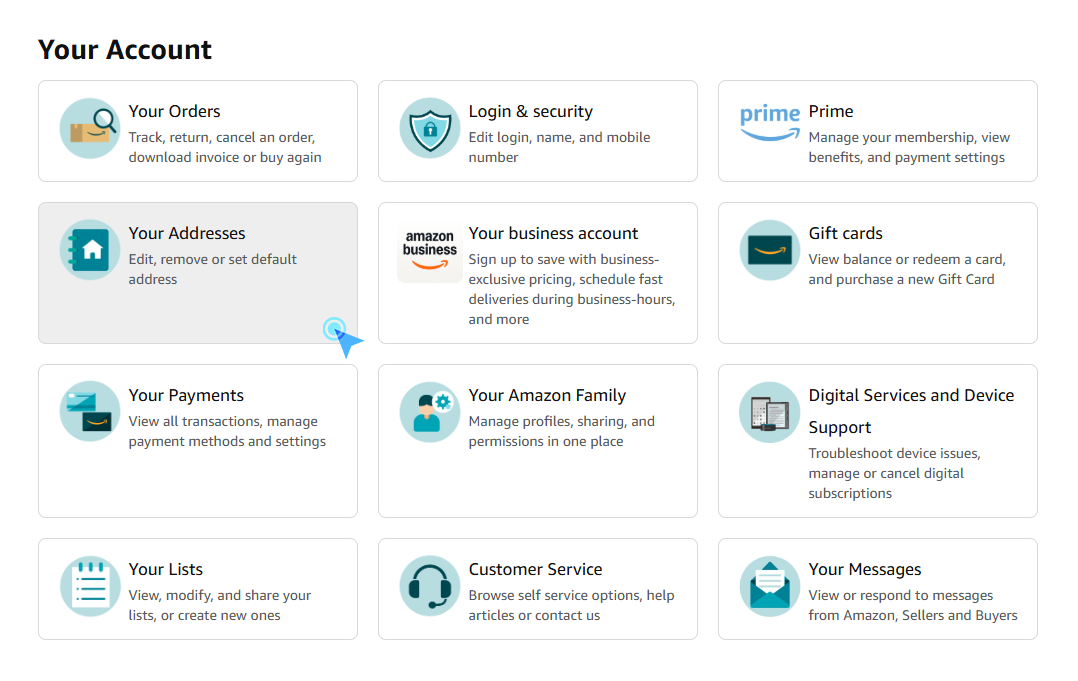
In your account dashboard, look for the "Your Addresses" tile (usually represented by an address book icon) and click on it to manage your shipping destinations.
Select Add Address
To enter a new destination, click on the box labeled "Add Address", which is typically marked with a large plus (+) sign.

Save Address
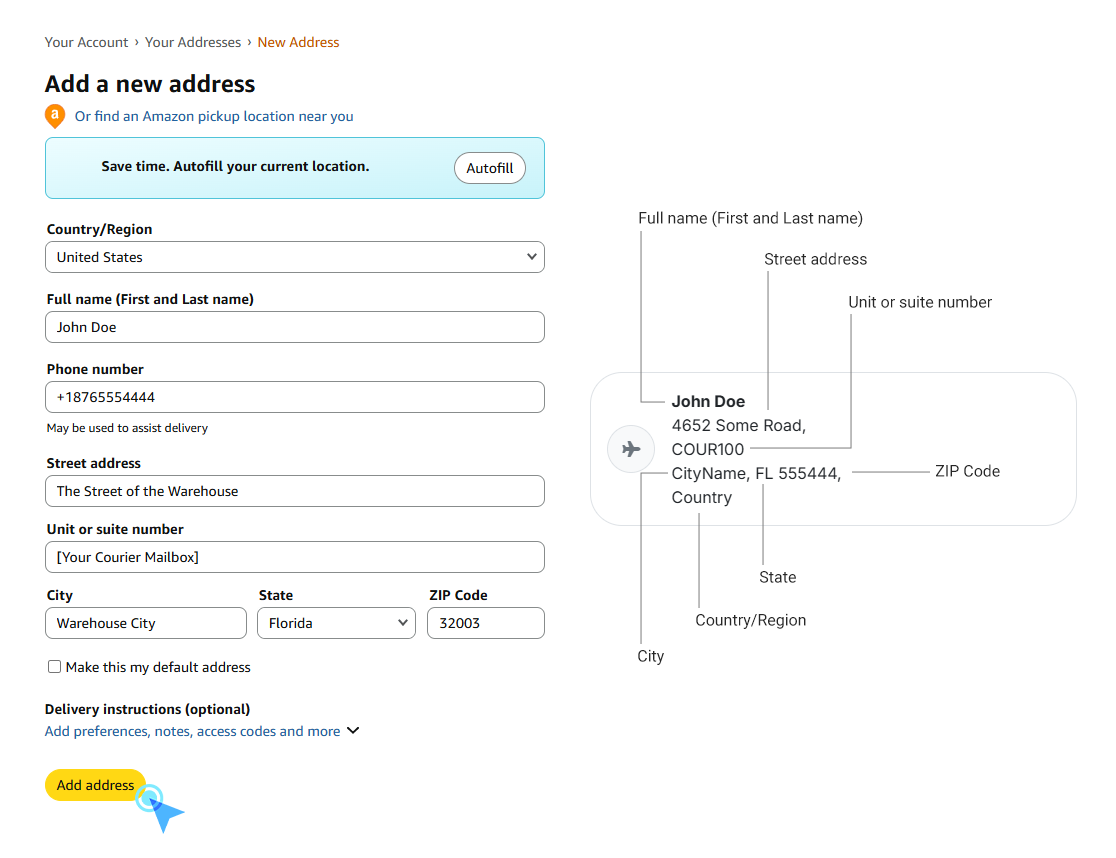
Carefully fill in the form with the warehouse address details provided in your dashboard. It is critical to include your unique Mailbox Number (e.g., KNG-1234) in the "Address Line 2"/"Unit"/"Suite"/"Apartment" field or appended to your name to ensure your packages are correctly identified.
Still need help?
Contact Support